
To add a gateway or several gateways to a project:
Step 1: Select the project to which the gateway need to be added. Then, navigate to Device > Gateway to go to the gateway management interface.

Step 2: Click Add.

Step 3: Enter the SN (required) and device name (optional).
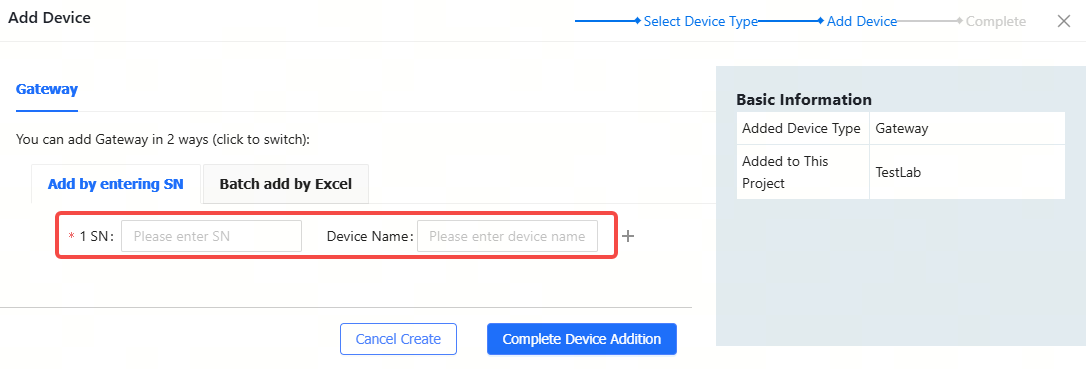
Step 4: After filling in the information, click Complete Device Addition. When the "Add success" prompt appears, click X to close the prompt box and complete the operation.

To add gateways to a project in batches:
Step 1: Click Add.

Step 2: Click Download Template to download the template.
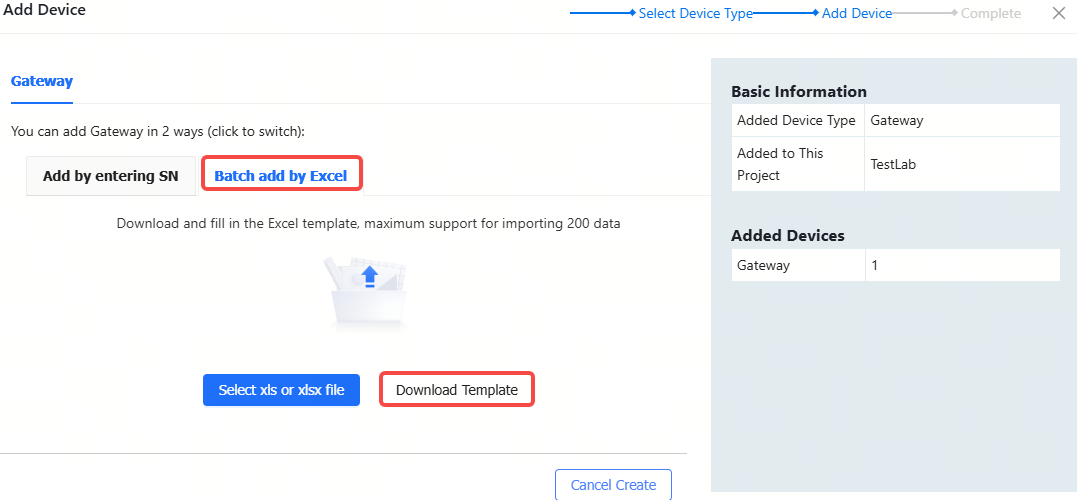
Step 3: Fill in the template. SN is required, while the alias is optional. Up to 200 devices can be imported into a project each time.
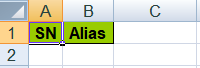
(1) SN: Required. The length of a SN should range from 6 to 21 characters.
(2) Alias: Optional. The length of an alias should range from 1 to 64 characters.
Step 4: Click Select xls or xlsx file to upload the template.
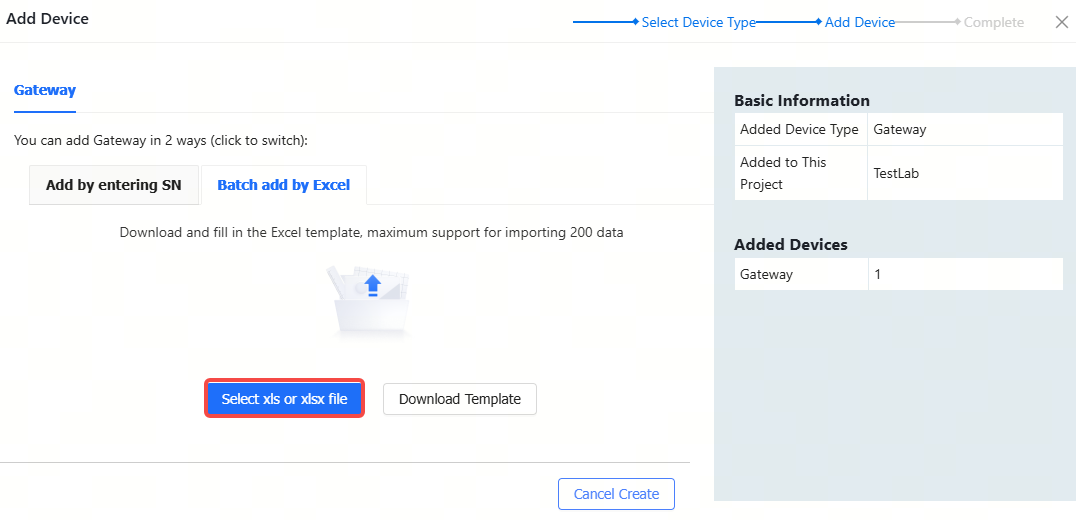

Step 6: When the "Add Succee" prompt appears, the imported device will be displayed in the gateway list.

全部评论