
1. Support creating a HTTPS tunnel for RG-MA2810.
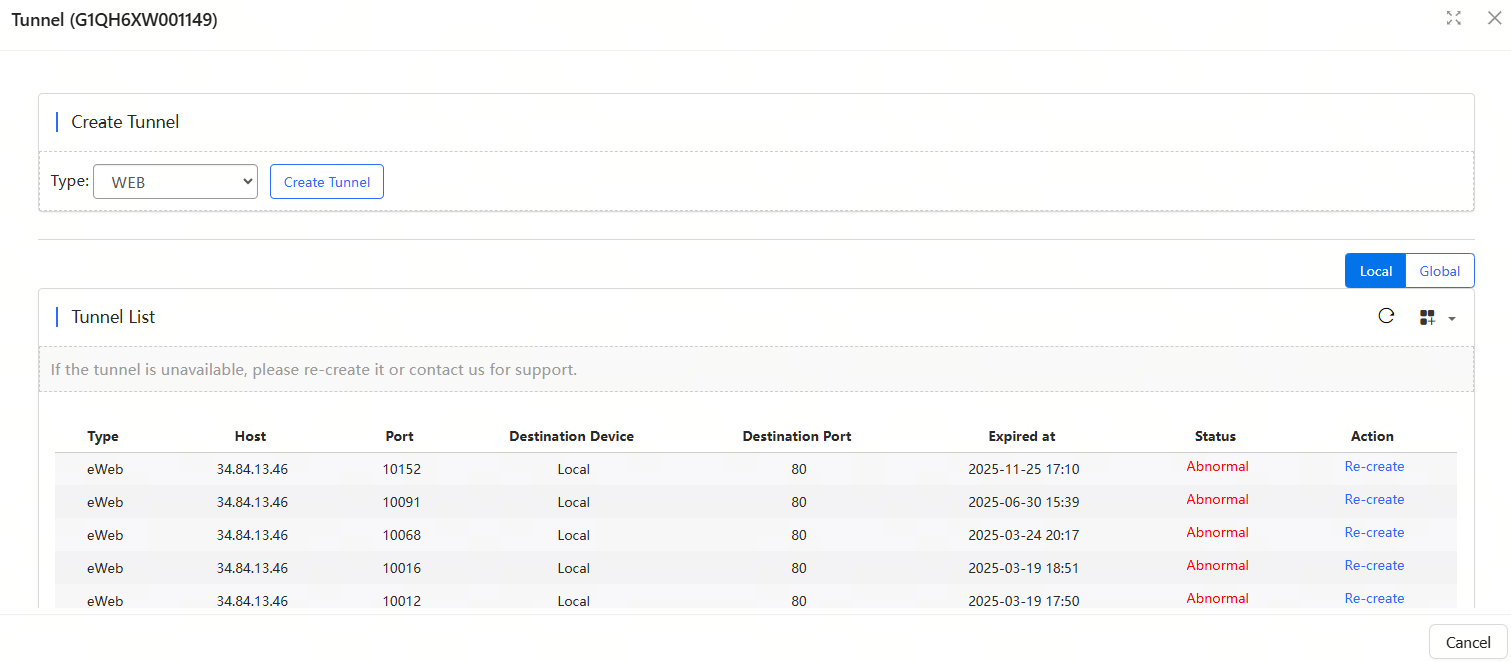
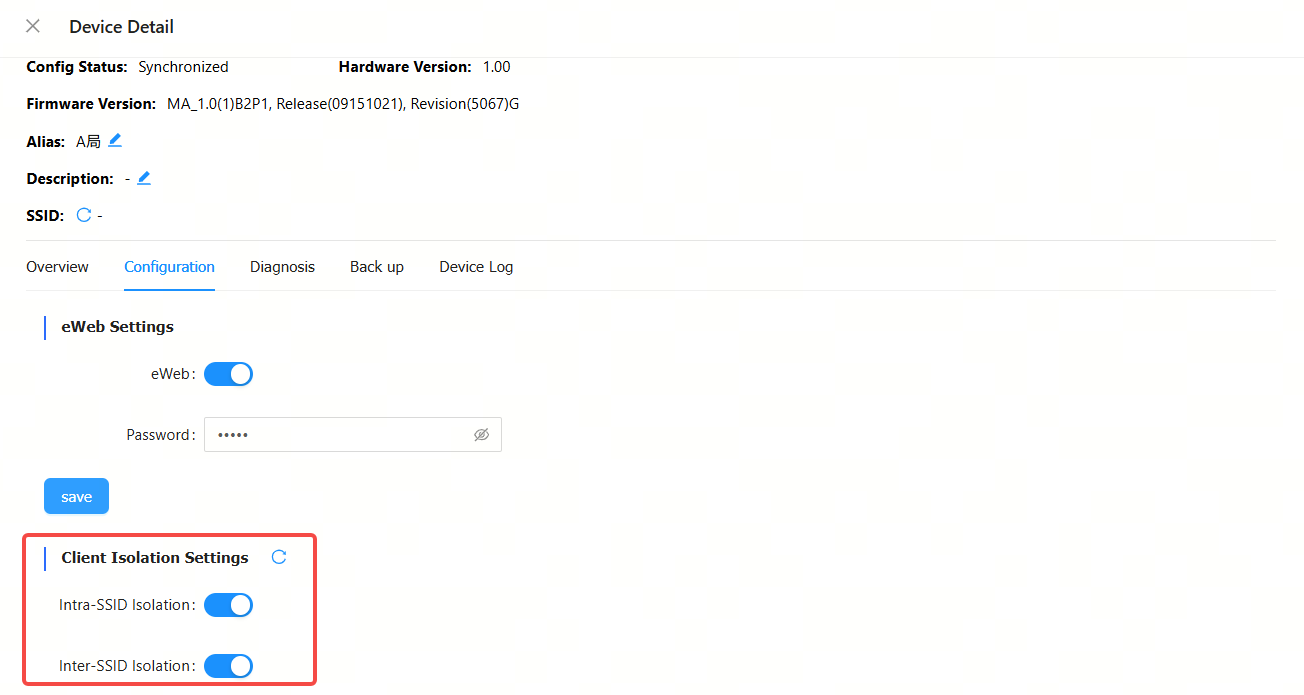
2. Support the configuration of client isolation for CMS devices under a hotel-based project.

3. Allow to configure the client isolation on the Device Detail page of an RG-MA2810 device.
1. The SSID configuration template for an apartment-based project has been changed, which allows to configure 2.4G SSID and 2.5G SSID separately.

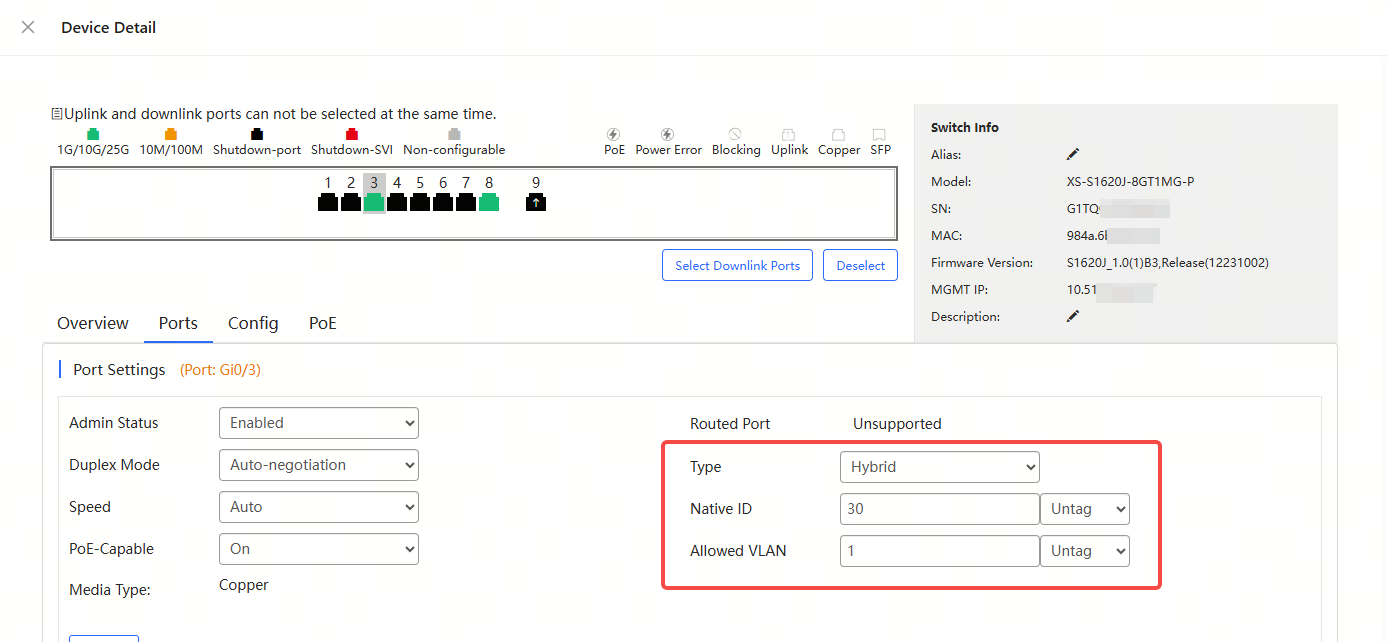
2. You can configure the XS-S1620J switch ports as hybrid ports, and set packets to be tagged or untagged.
3. Remove the trial account.
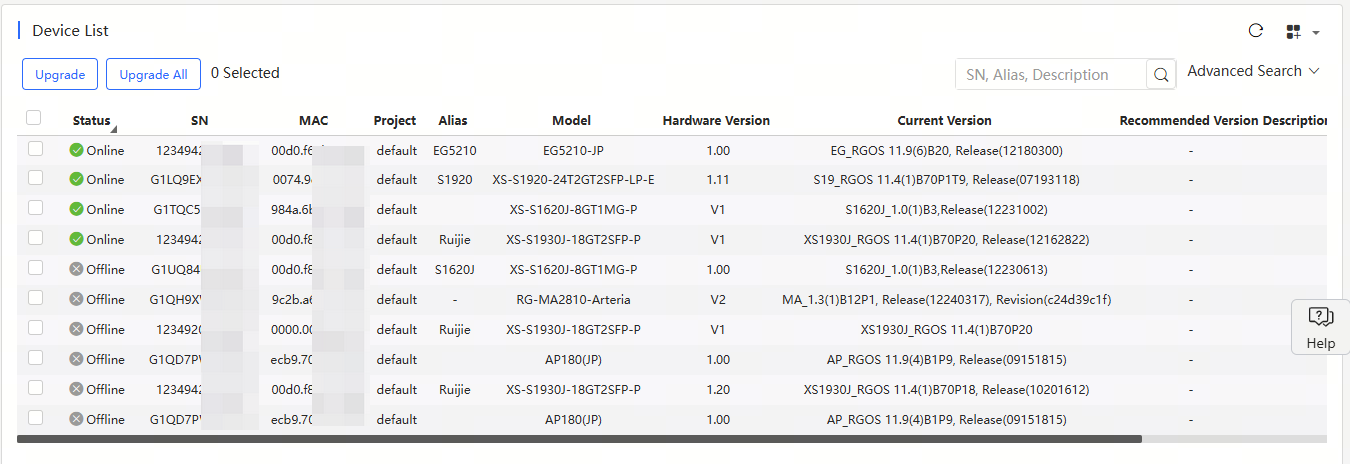
4. Display the MAC addresses of devices in the Device List in Upgrade page.
1. After an ONU was bound to a new OLT, it displayed the SN of the old OLT.
No. | Module | Description |
1 | Device | Up to 200 devices can be imported each time. To import more than 300 devices, users need to do it in batches. |
2 | Configuration | Configurations of up to 200 devices can be imported each time. To import configurations of over 200 devices, users need to do it in batches. |
3 | EXCEL template | For Excel template, only the XLS format is supported. |
4 | SSID | SSIDs can be made up of numbers, English letters, and “-“. |
5 | Custom excel template | In an Excel customized template, A to Z columns and 1 to 15 rows are supported. |
6 | AP | Account-based policies may fail on some models, such as AP680(CD), where they are disabled by default. In this case, users need to batch apply from the Cloud the web-auth acct-update-interval 1 command to enable those policies. |
7 | SSID reverse sync | The Cloud does not support SSIDs containing special characters. If set on end devices, such SSIDs will fail to be delivered, after synchronization, by the Could. |
8 | 00000JAPAN Wi-Fi | In the Apartment Scenario, if the device goes offline after 00000JAPAN Wi-Fi is enabled, and then goes online after 00000JAPAN Wi-Fi disabled, Cloud will not re-configure the Wi-Fi settings on device. You need to clear 00000JAPAN Wi-Fi configuration manually. |
9 | AP | In Non-apartment Scenario, please clear the configuration on devices except AP180 before bring them online; otherwise, the configuration on devices may be conflict with that on Cloud, and the client may not be able to access the Internet. |
10 | AP | In Non-apartment Scenario, if the working mode (bridge mode or routing mode) of AP180 is different from that on Cloud, the client may not be able to access the Internet. |
11 | TOPOLOGY |
|
12 | TOPOLOGY | The uplink ports of some switches cannot be shielded in the topology as the Cloud fails to identify them. Included: XS-S1930J-8GT2SFP, XS-S1930J-8GT2SFP-P XS-S1930J-18GT2SFP, XS-S1930J-18GT2SFP-P XS-S1930J-24GT4SFP/2GT, XS-S1930J-24GT4SFP/2GT-P XS-S1930J-48GT4SFP |
13 | Initial Configuration Template | The template can only be applied to AP180 series access points in Apartment networks. |
14 | CLI Commands | Only for AP and CAP series products. |
15 | WPA3-SAE | Only for MA2610 and MA2810 access points in hotel networks. |
16 | Device Details-Back Up | Only for apartment networks. |
17 | Network Management | Level 5 subnetwork group is supported. |
18 | Upgrade Policy |
|
19 | RG-HS2310-16GH2GT1XS | Ruijie JaCS doesn’t support displaying the configurations of G.hn ports as well as delivering configurations to them. |
20 | Project | Up to 200 projects can be created each time when you use the batch template to create projects. |
21 | ZTP | Only for RG-EG5210-JP gateway and XS-S1620J series switches. |
22 | XS-S1620J configuration file rule | Refers to Managing ZTP configuration file |
全部评论